
📚 CBSE Class 10 Information Technology (Code 402) – Complete Study Material Download
Welcome to the Complete Study Material for CBSE Class 10 Information Technology (Code 402) for the current academic session 2026–27.
This page provides chapter-wise and unit-wise study resources based on the CBSE Information Technology (402) curriculum. Students can access Notes, Chapter Book/Study Material, MCQs, Questions & Answers, Worksheets and Online Quizzes from one place.
The course is designed around the Domestic Data Entry Operator job role and covers Employability Skills along with advanced digital documentation, spreadsheets, database management and workplace safety.
Preparing for the CBSE Class 10 Information Technology (Code 402) Board Examination?
Download FREE Chapter-wise Study Material designed according to the latest CBSE syllabus and strengthen your exam preparation.
What’s Included?
✅ Chapter-wise Notes
✅ Important Questions
✅ Previous Year Questions (PYQs)
✅ MCQs & Case-Based Questions
✅ Sample Question Practice
✅ Revision Notes
✅ Exam-Oriented Content
🎯 Perfect for:
- School Examinations
- Pre-Board Exams
- CBSE Board Examination Preparation
📥 Download Now and Start Learning Smarter!
📚 Class 10 Information Technology (402) – Study Dashboard
🟢 PART A – EMPLOYABILITY SKILLS
Part A consists of five Employability Skills units. The syllabus allocates a total of 50 hours and 10 marks to Part A.
| Unit – Topic | 📝 Notes / Study Material | ❓ MCQs | 📄 Short QnA | ✍️ NCERT Book Solution | 📝 NCERT Book PDF |
|---|---|---|---|---|---|
| Unit 1 Communication Skills-II | View | Practice | Download | View Solution | Download |
| Unit 2 Self-Management Skills-II | View | Practice | Download | View Solution | Download |
| Unit 3 Information and Communication Technology Skills-II | View | Practice | Download | View Solution | Download |
| Unit 4 Entrepreneurial Skills-II | View | Practice | Download | View Solution | Download |
| Unit 5 Green Skills-II | View | Practice | Download | View Solution | Download |
For complete study material, install the Android/iPhone app – Anjeev Singh Academy
🔵 PART B – SUBJECT-SPECIFIC SKILLS
Part B contains the main technical content of Class 10 Information Technology. The curriculum covers Digital Documentation, Electronic Spreadsheet, Database Management System, and Maintain Healthy, Safe & Secure Working Environment.
📘Unit 1: Digital Documentation (Advanced) using LibreOffice Writer
- Chapter 1: Introduction to Styles
Topics include styles and style categories in Writer, Styles and Formatting, Fill Format, creating new styles, updating styles, loading styles from templates/documents and applying styles. - Chapter 2 – Working with Images
Chapter 2: Working with Images – Topics include inserting images, modifying images, drawing objects, resizing and grouping objects, arrangement, anchoring, alignment and text wrapping. - Chapter 3 – Advanced Features of Writer
Topics include Table of Contents, hierarchy of headings, templates, Track Changes, comments and comparing documents.
| Chapter Name | 📝 Notes | 📕 Book PDF | ✍️ Q&A |
|---|---|---|---|
| Chapter 1: Introduction to Styles | Notes | Download | View Solution |
| Chapter 2: Working with Images | Notes | Download | View Solution |
| Chapter 3: Advanced Features of Writer | Notes | Download | View Solution |
📘Unit 2: Electronic Spreadsheet (Advanced) using LibreOffice Calc
- Chapter 4 – Analyse Data Using Scenarios and Goal Seek
Topics include data consolidation, groups and subtotals, What-If Scenarios, What-If Analysis and Goal Seek. - Chapter 5 – Using Macros in Spreadsheets
Topics include recording and running macros, creating and organising simple macros, macros as functions, passing arguments, accessing cells directly and sorting columns using macros. - Chapter 6 – Linking Spreadsheet Data
Topics include multiple sheets, references to other sheets and documents, hyperlinks, external data and registered data sources. - Chapter 7 – Share and Review a Spreadsheet
Topics include sharing spreadsheets, recording changes, comments, reviewing changes, merging and comparing sheets.
| Chapter | 📝 Notes | 📕 Book PDF | ✍️ Q&A |
|---|---|---|---|
| Chapter 4: Analyse Data using Scenarios and Goal Seek | Notes | Download | View Solution |
| Chapter 5: Using Macros in Spreadsheet | Notes | Download | View Solution |
| Chapter 6: Linking Spreadsheet Data | Notes | Download | View Solution |
| Chapter 7: Share and Review a Spreadsheet | Notes | Download | View Solution |
📘Unit 3: Database Management System using LibreOffice Base
- Chapter 8 – Introduction to Database Management System
Topics include data and information, databases and DBMS, advantages of databases, data models, relational databases, keys and RDBMS objects. - Chapter 9 – Starting with LibreOffice Base
Topics include the Base interface, data types, opening databases, creating tables, setting primary keys, entering and editing data, deleting records and sorting data. - Chapter 10 – Working with Multiple Tables
Topics include managing tables, relationships between tables, types of relationships, relating tables, creating relationships and referential integrity. - Chapter 11 – Queries in Base
Topics include creating queries using the Wizard and Design View, editing queries, applying criteria, wildcard searches and working with numerical data and calculations in queries. - Chapter 12 – Forms and Reports
Topics include creating and modifying forms, Form Controls Toolbar, entering and removing data through forms, searching records and creating reports using the Report Wizard.
| Chapter | 📝 Notes | 📕 Book PDF | ✍️ Q&A |
|---|---|---|---|
| Chapter 8: Introduction to Database Management System | Notes | Download | View Solution |
| Chapter 9: Starting with LibreOffice Base | Notes | Download | View Solution |
| Chapter 10: Working with Multiple Tables | Notes | Download | View Solution |
| Chapter 11: Queries in Base | Notes | Download | View Solution |
| Chapter 12: Forms and Reports | Notes | Download | View Solution |
📘Unit 4: Maintain a Healthy, Safe and Secure Working Environment
- Chapter 13 – Health, Safety and Security at the Workplace
Topics include workplace health, safety and security policies, workplace hazards, physical hazards, electrical hazards, fire hazards, health hazards, computer-related hazards, stress, hazard control and safety guidelines. - Chapter 14 – Workplace Quality Measures
Topics include air and water quality monitoring, cleanliness at the workplace, office ergonomics, computer health and safety, musculoskeletal problems and health and safety requirements for computer work. - Chapter 15 – Prevent Accidents and Emergencies
Topics include identifying accidents and emergencies, getting appropriate help, following workplace policies and procedures, responding within one’s responsibility and authority, and following instructions from senior staff and emergency services.
| Chapter | 📝 Notes | 📕 Book PDF | ✍️ Q&A |
|---|---|---|---|
| Chapter 13: Health, Safety and Security at Workplace | Notes | Download | View Solution |
| Chapter 14: Workplace Quality Measures | Notes | Download | View Solution |
| Chapter 15: Prevent Accidents and Emergencies | Notes | Download | View Solution |
For complete study material, install the Android/iPhone app – Anjeev Singh Academy
Download CBSE/NCERT Complete Book
| 📕 Book | ✍️ Q&A |
|---|---|
| Download | View Solution |
🚀 Looking for One-to-One Online Tuition?
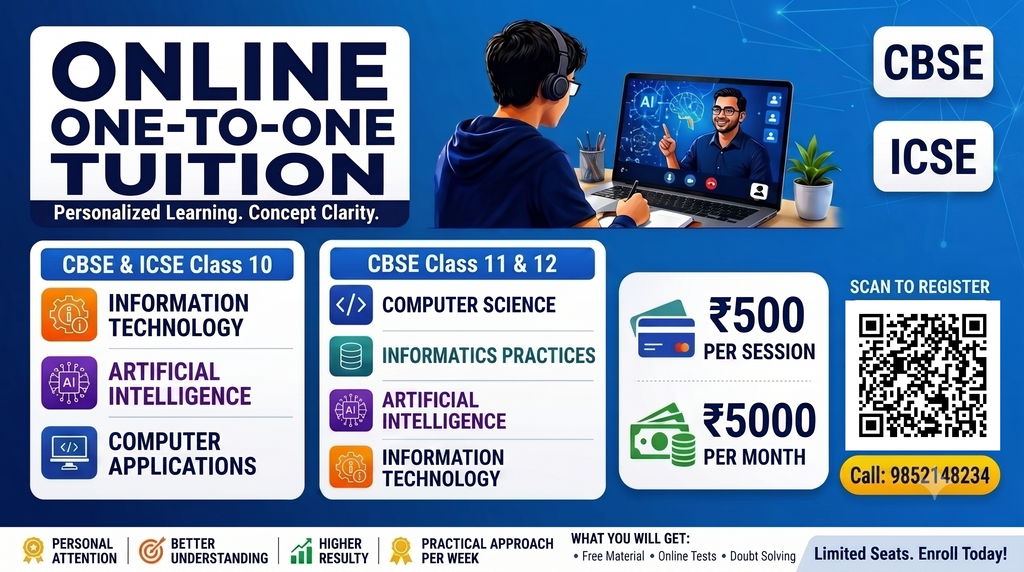
Subjects Offered
🔹 Class 10: Information Technology, Artificial Intelligence, Computer Applications
🔹 Class 11 & 12: Computer Science, Artificial Intelligence, Information Technology, Web Applications
✔ Experienced Faculty
✔ 22+ Years of Teaching Experience
✔ Live Google Meet Classes
✔ ₹5,000/Month (12 Sessions) – One-to-One
✔ Free Study Material
✔ Fortnightly Online Tests
✔ Previous Year Questions with Solutions
✔ Sample Paper Discussion
✔ Must-Asked Important Questions
📌 Limited Seats Available – Register Now!
By Anjeev Kr Singh – Computer Science Educator
Published on : August 29, 2026 | Updated on : October 18, 2026
About the Author